Compare Files.
Search Everything.
See What Changed.
Ever needed to find differences between two Excel files? Or search for something across hundreds of documents? Search & Index makes it simple — compare files side-by-side, find changes instantly, and search any folder in seconds.
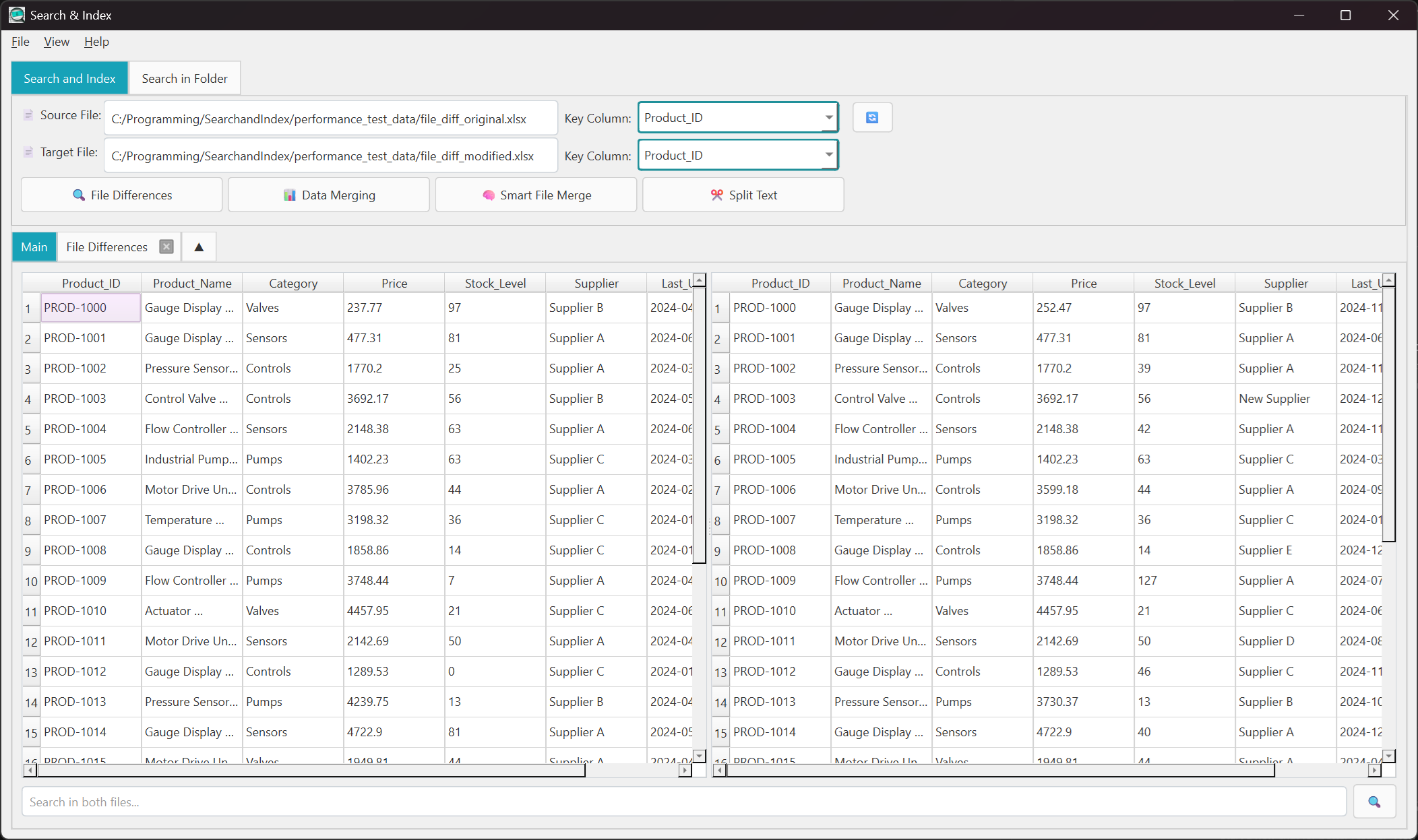
Compare Two Files Side-by-Side
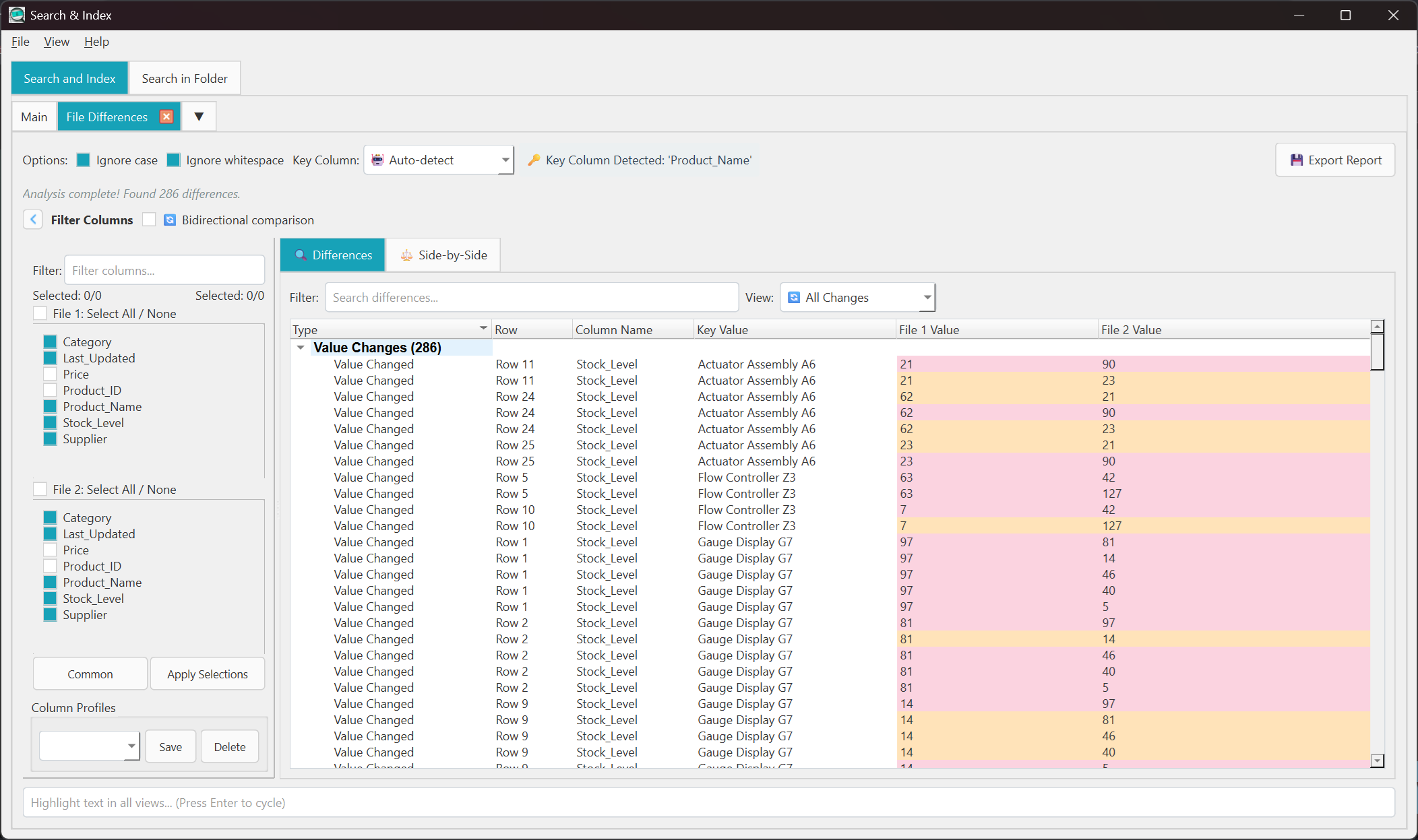
See exactly what changed between any two Excel files, CSVs, or documents
💡 Perfect For...
- Budget tracking: "What changed in last month's spreadsheet?"
- Document versions: "Which rows were added or removed?"
- Data validation: "Did my export match the original?"
- Auditing: "Show me every single difference"
📊 What You'll See
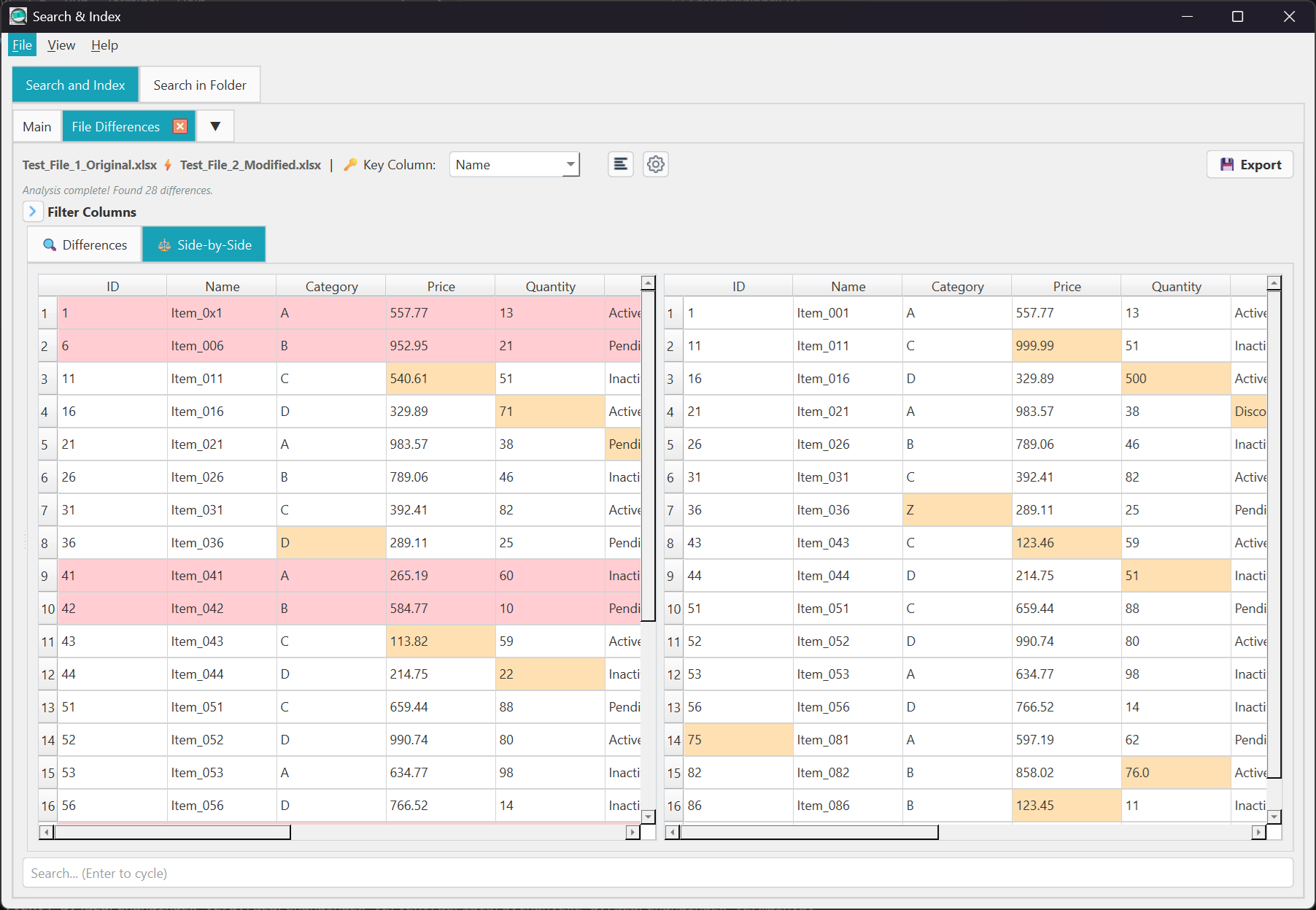
Choose Your View
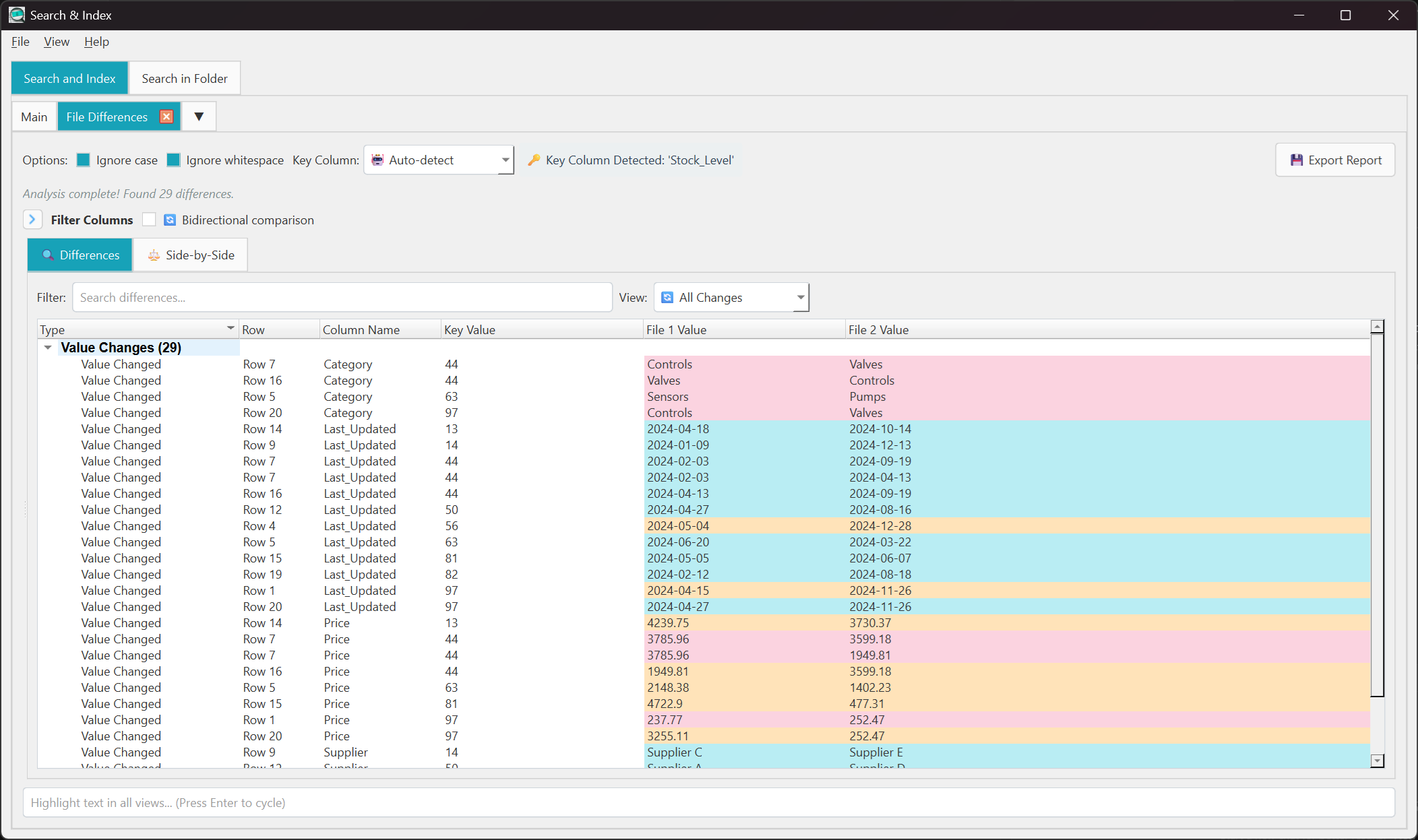 Differences Only
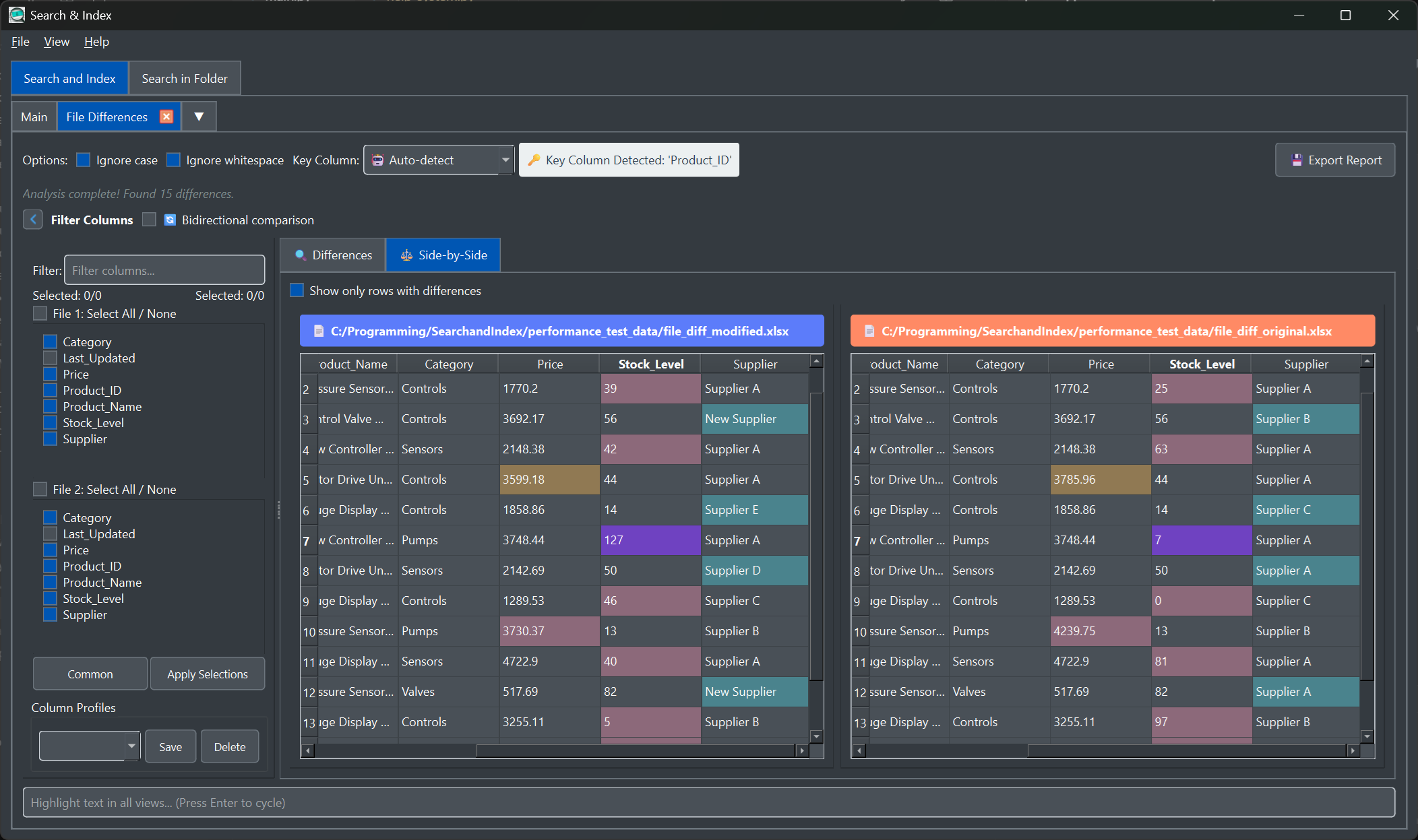
Side-by-Side
Differences Only
Side-by-Side
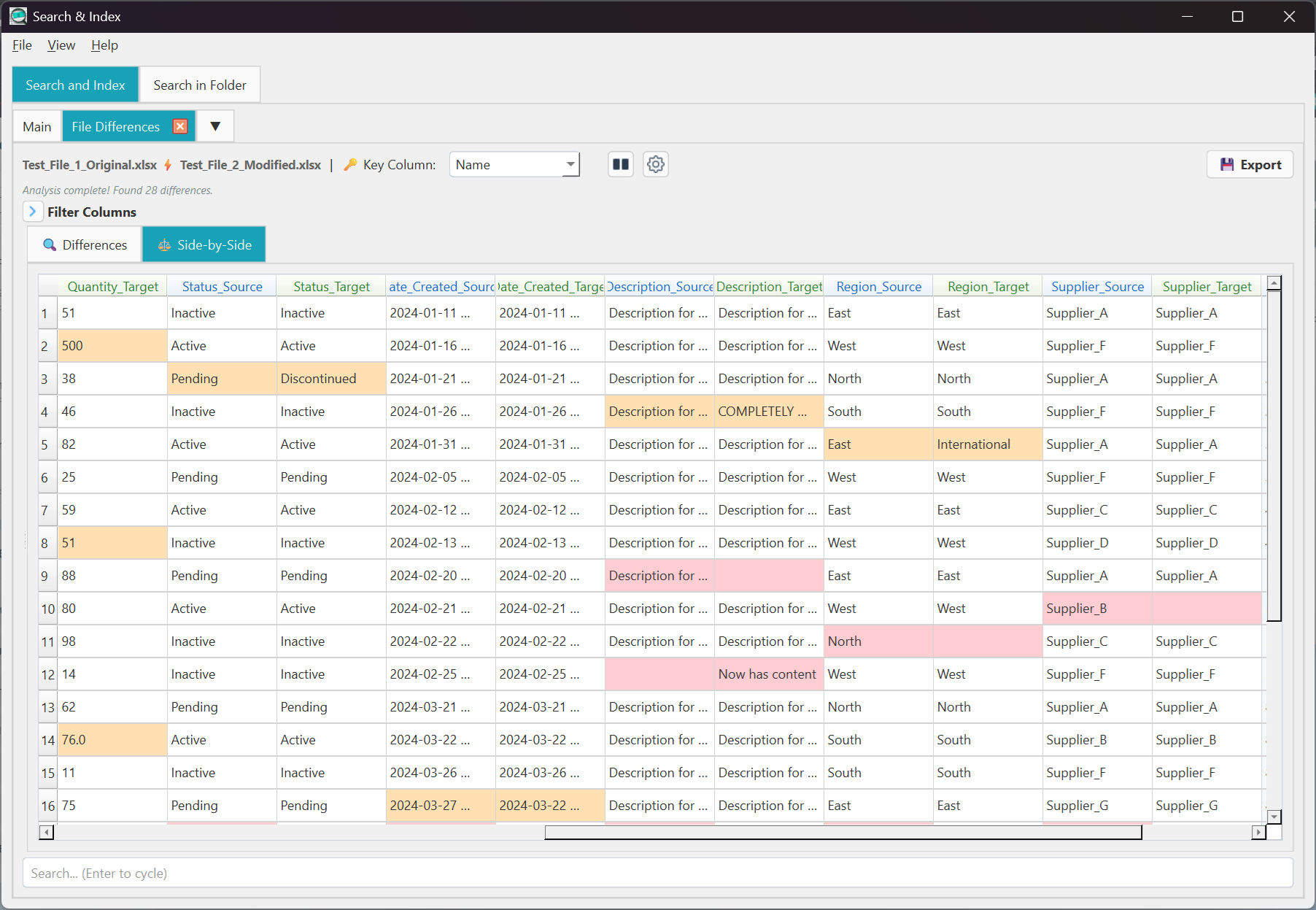 Interleaved View
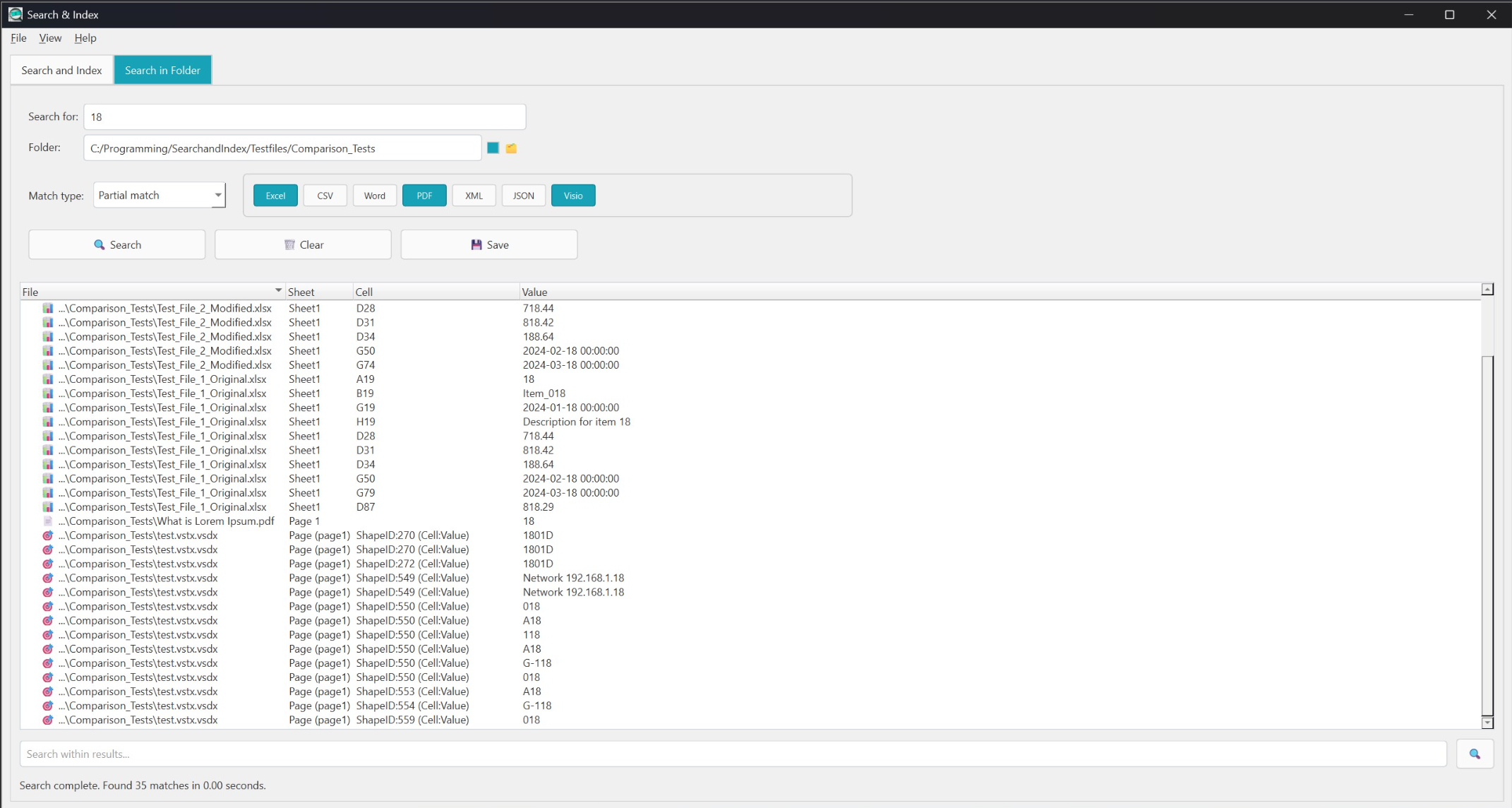
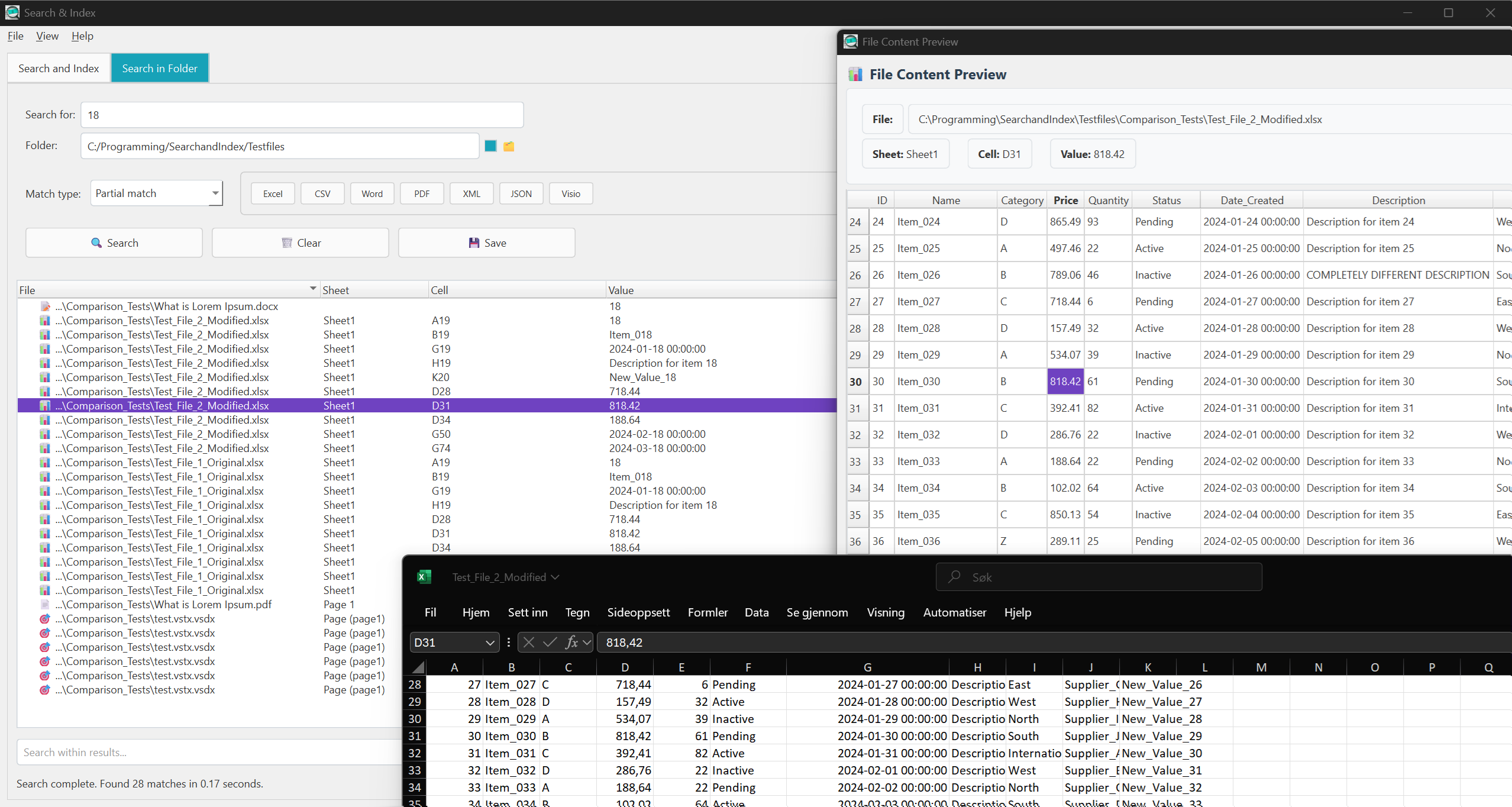
Search Hundreds of Files Instantly
Find that one piece of information buried somewhere in your folders
🔍 How It Works
Great for:
- 📁 "Where did I save that invoice number?"
- 📁 "Which report mentions this client?"
- 📁 "Find all files containing this product code"
- 📁 "Search inside PDFs, Word docs, and Excel"
More Tools to Get Things Done
Everything you need for working with files and data
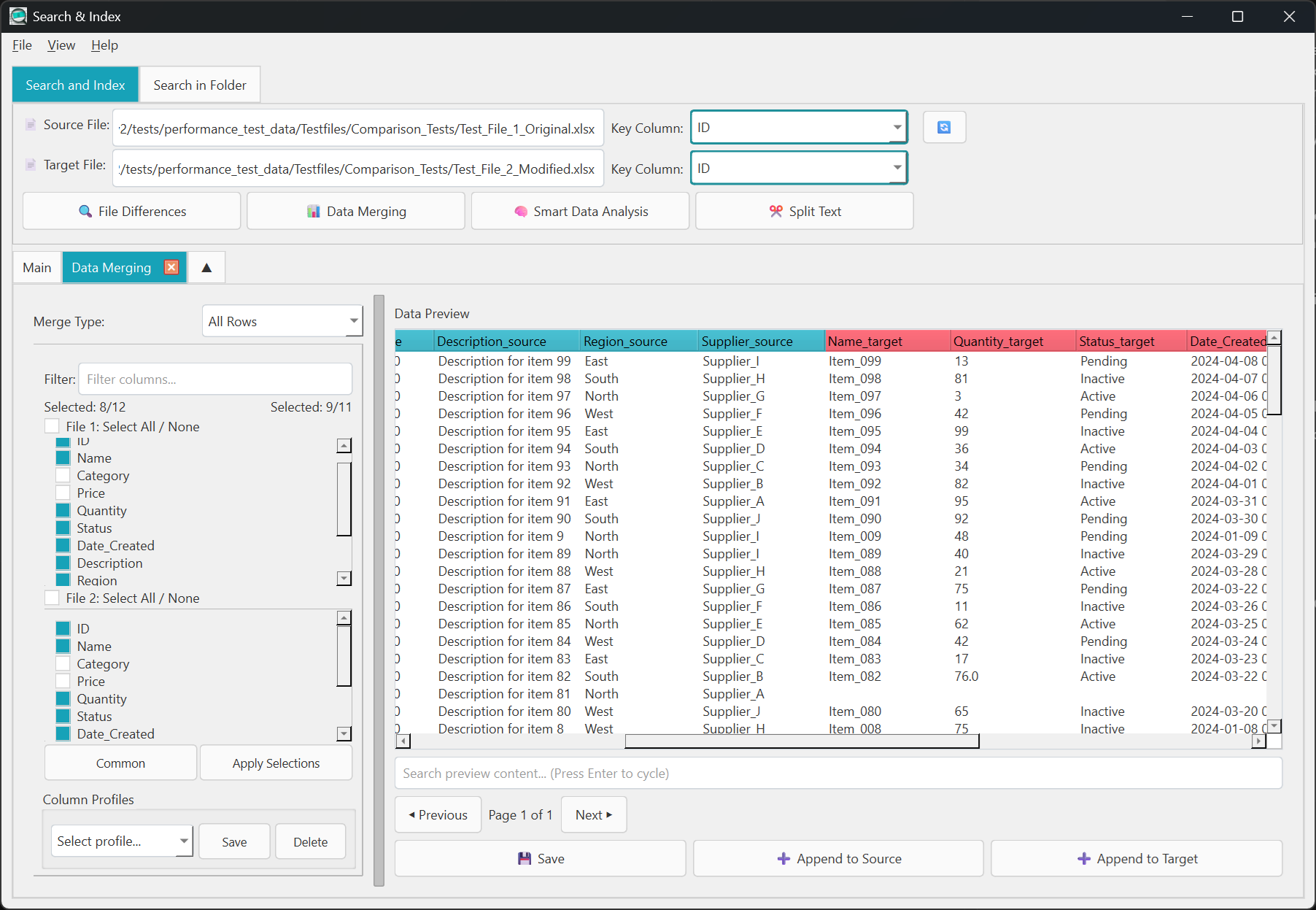
Data Merging
Combine data from two files based on matching values. Like a VLOOKUP but easier.
- Match rows between files
- Choose which columns to keep
- Preview before saving
- Export to Excel
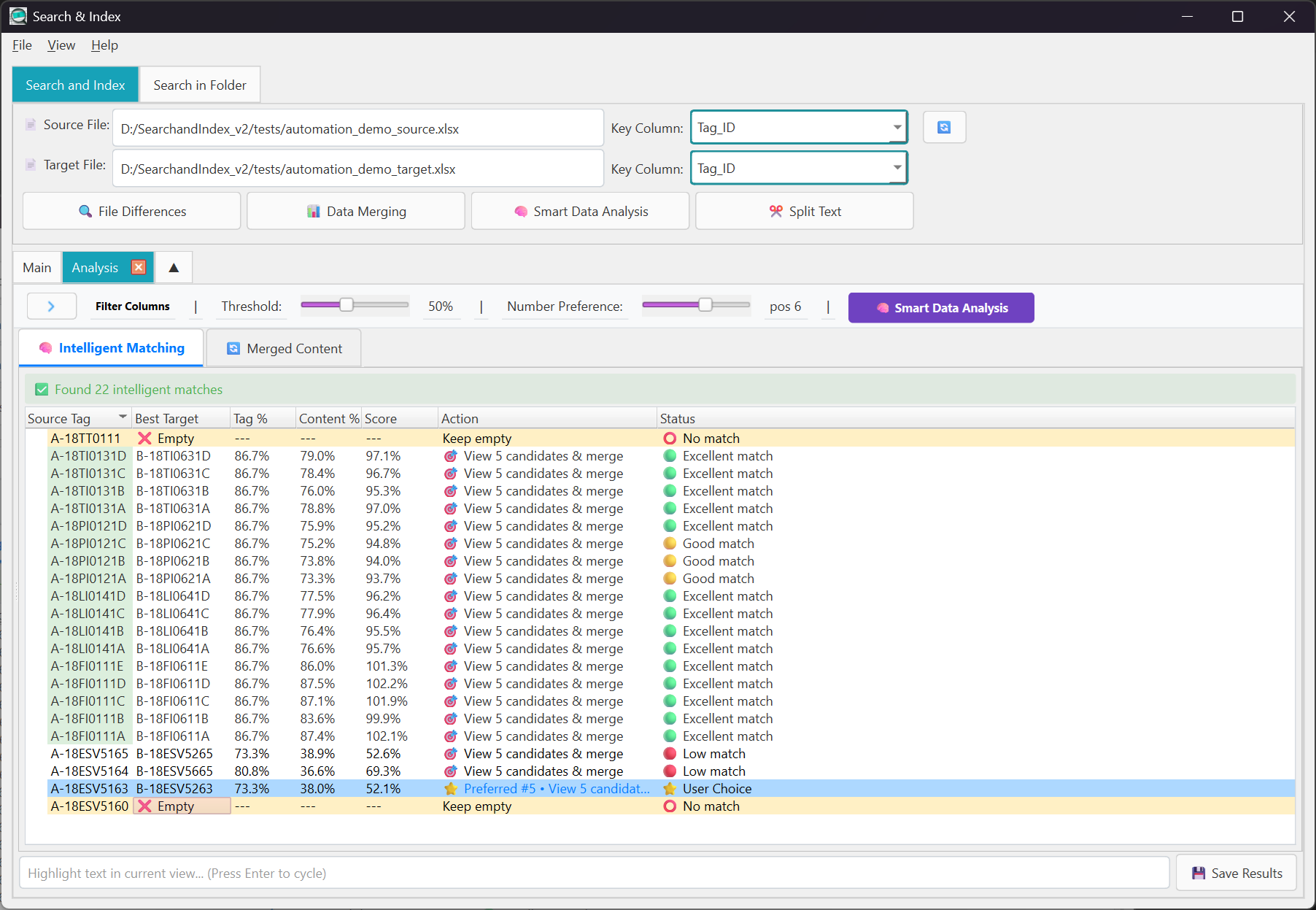
Smart Matching
Intelligent pattern matching that finds similar items even when they're not exact matches.
- Fuzzy matching with confidence scores
- Up to 5 candidate matches per row
- Perfect for data migration
- Customizable thresholds
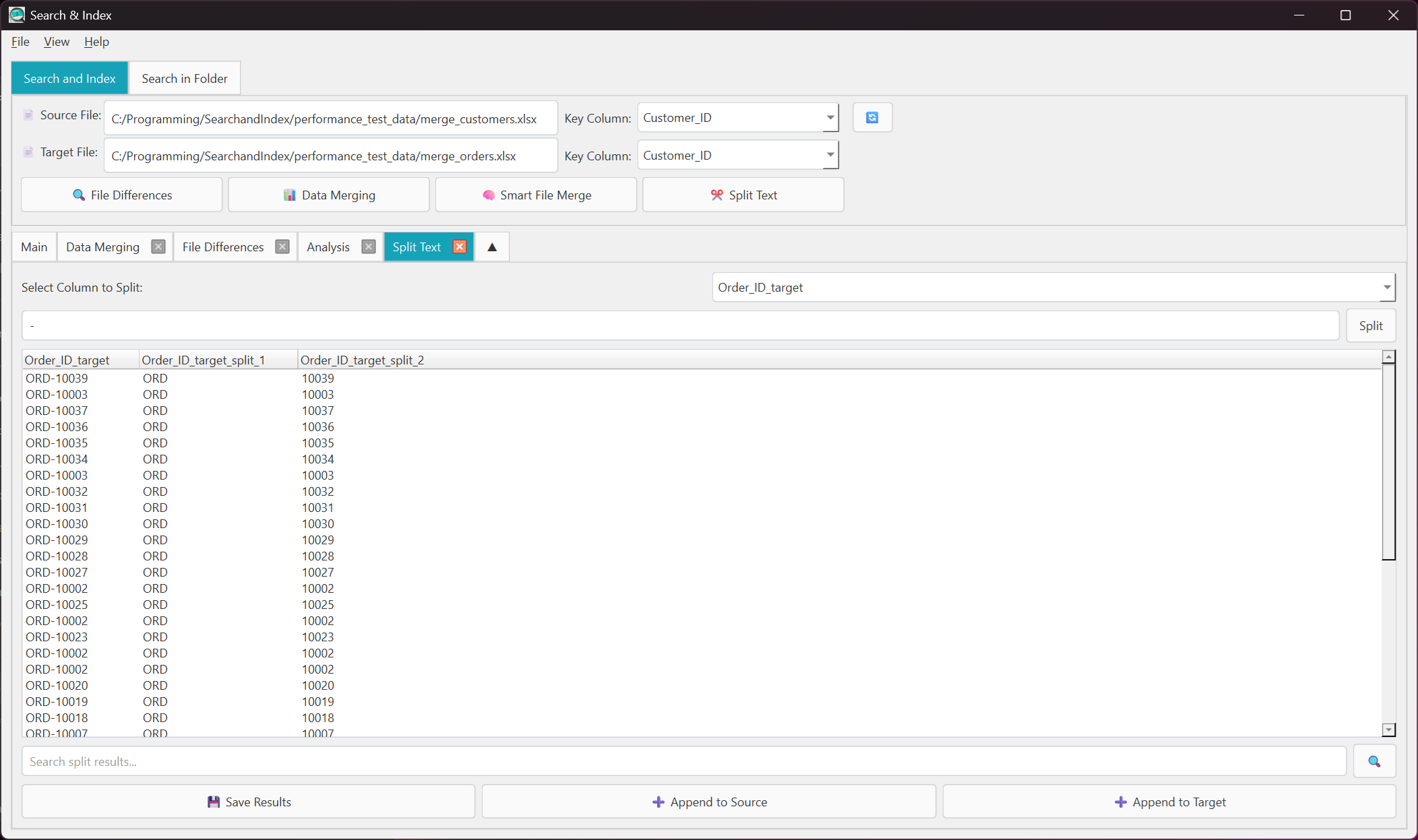
Split Text
Separate combined text into multiple columns. Perfect for cleaning messy data.
- Split "LastName, FirstName" into columns
- Use any character as separator
- Preview before applying
- Batch processing
Column Profiles
Save your column selections and reuse them. No need to reconfigure every time.
- Save column configurations
- Quick profile switching
- Share with team members
- Import/export profiles
Dark Mode
Easy on the eyes for long sessions. Switch themes with one click.
- Dark and light themes
- Consistent across all views
- Enhanced readability
- Reduced eye strain
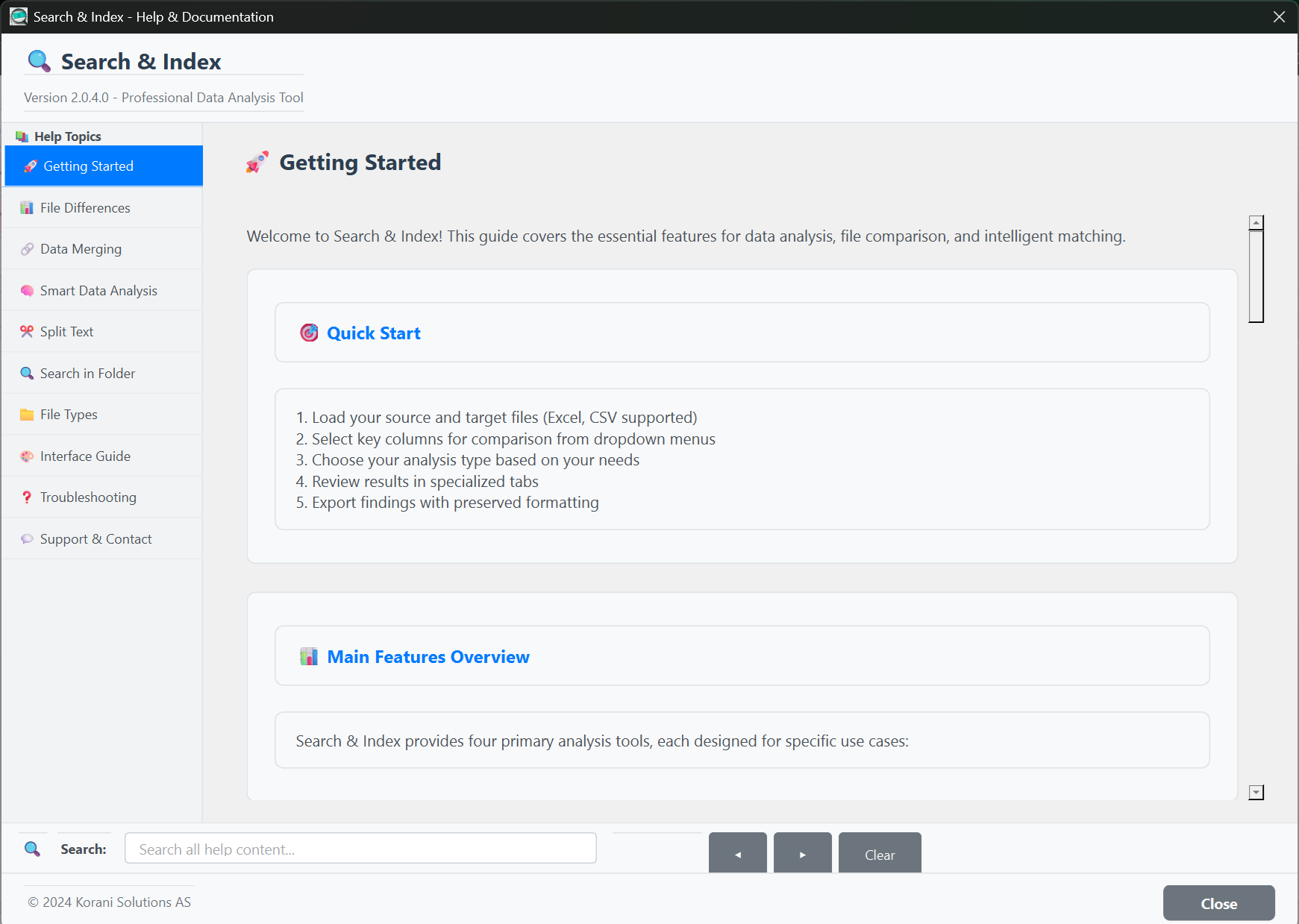
Built-in Help
Comprehensive documentation right inside the app. No need to search online.
- Step-by-step guides
- Video-like walkthroughs
- Tips for each feature
- Always up to date
Works With Your Files
All the formats you work with every day
Ready to Stop Comparing Files Manually?
Download for free — no account, no trial, no limits
Download Free from Microsoft Store